Home / Solutions / Compact Selfie Monitor
Compact Rear-Camera Monitor Development
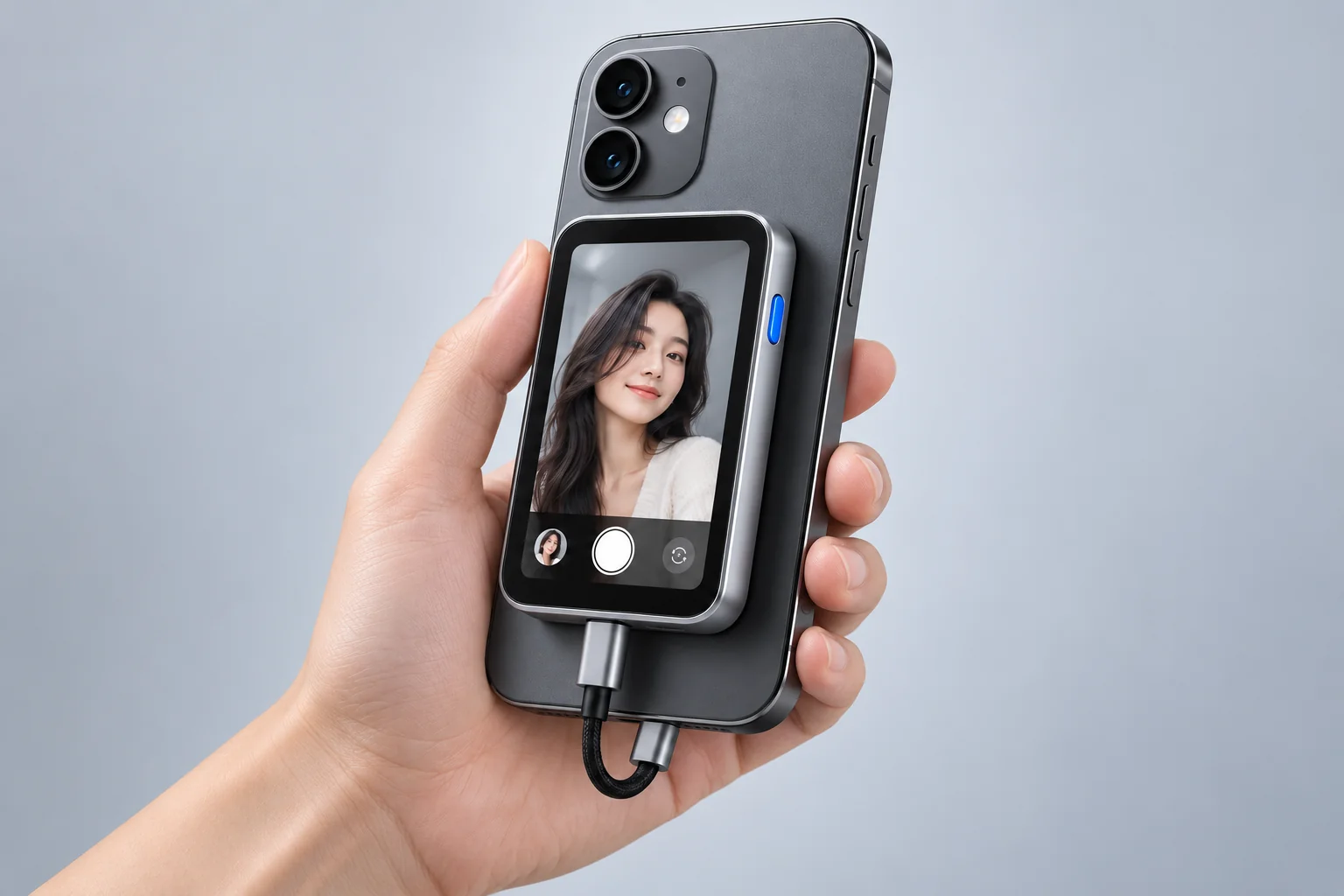
For selfie, vlog and mobile shooting products. We develop the electronics around your industrial design, matching display size, product proportions, mounting and touch interaction to the way your product is actually used.
Use cases
Put the rear-camera view within reach.
The value of a compact monitor comes from the product form itself: display size, aspect ratio and mounting position should follow the way the product is actually used. These are the directions we commonly develop.
Selfies and group shots
Shoot with rear-camera quality while checking composition and expressions on a small screen, without turning the phone around to see its front display.
Vlogging and talking-head video
For fixed-camera shoots, keep the framing and focus within reach on a touchscreen beside you.
Mobile and on-location shooting
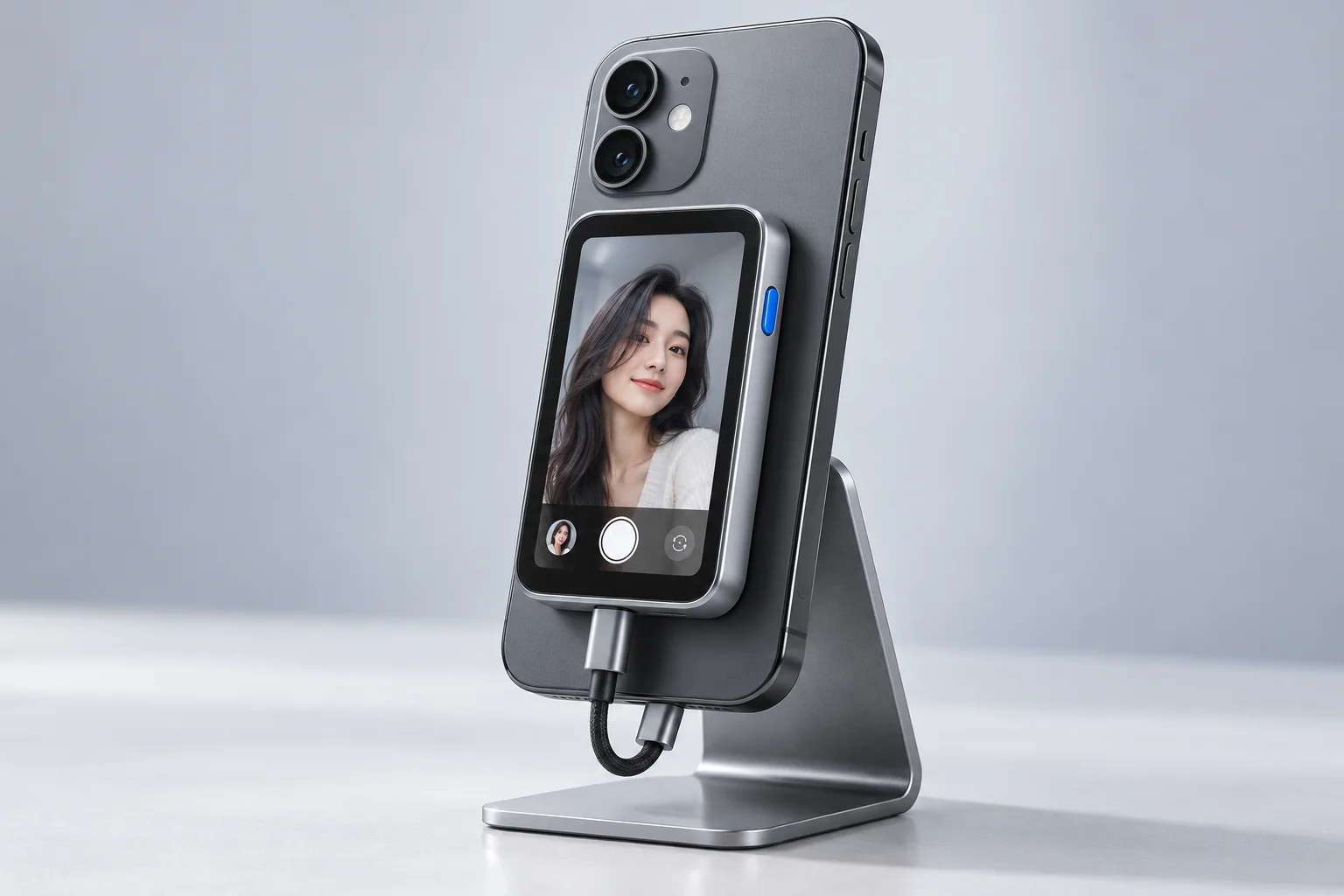
In handheld or temporary setups, the mounting method and cable routing decide whether the product is genuinely practical.
Shooting while staying in conversation
When the shooter needs to keep attention on the subject, the screen position is set by your product structure.
These are product directions, not a claim that any form is in mass production. Display ratio, mounting structure and interaction are confirmed against your product definition.
Development progress and demos
What we have brought up, and where the limits are.
The progress below reflects development on the existing solution. Display specifications, phone models and supported features are confirmed per project.
- USB-C DP Video InputA phone outputs DP video over USB-C to the display. A USB-C port does not mean a phone supports DP video output — this is checked per phone model before connection.
- Touch ControlOperating the phone from the touchscreen is implemented. Which phone models, systems and apps are supported is confirmed per project, item by item.
- 3.5 and 4.0 InchesHigh-resolution displays at both sizes have been brought up. Exact pixel count, refresh rate and brightness depend on the panel and are confirmed per project.
No demo video is published yet. Contact us about demo and sample arrangements.
Customizable items
Assessed item by item against your product definition.
Every item below can be discussed on its own. Each is assessed against its actual scope — this is not an all-inclusive package.
Display and panel integration
Panel selection and display driver integration assessed by size, aspect ratio and target resolution.
PCBA dimensions and connector positions
Board shape, thickness and connector positions determined together with your enclosure.
Image orientation and display layout
Rotation, mirroring and display layout adjusted to the actual mounting angle and usage.
Touch and interaction
Touch and phone control support confirmed per phone model, system and app.
Power and cable layout
Power supply and cable routing planned around the product form and use case.
Firmware
Firmware developed within the agreed scope, delivered with the PCBA or as pre-programmed chips.
Connection and compatibility
Confirm the phone first, then the design.
Video connection and touch control are two separate things and must be verified separately. Phone model, system version and the specific app all affect the result.
- Video connectionUSB-C DP wired input is used. The phone itself must support DP video output; the same connector shape does not mean it does.
- Touch controlOperating the phone from the touchscreen is implemented; the controls actually available are confirmed per phone model, system and app.
- MountingAdhesive, magnetic or bracket mounting is determined by your industrial design. The concept image does not mean we supply every mechanical part.
- Compatibility testingWe recommend a validation matrix of phone model × system version × app × display configuration, recording normal display and each control separately.
- Display ratioDisplay ratio and cropping affect the framing shown on screen; lock down the product use case before choosing a size.
Route comparison
Choose the development route that fits.
Each route suits different situations. The table below is a route comparison only and does not refer to any specific company or chip combination.
| Focus | Wireless Casting | General Wired Display | Idea to Device Custom Development |
|---|---|---|---|
| Video connection | Wi-Fi or a paired transmitter/receiver | DP / HDMI and others | USB-C DP |
| Touch control | Depends on product and protocol | Depends on phone and solution | Implemented; exact support per project |
| Display options | Depends on platform and model | Depends on driver and panel | 3.5 / 4.0 / 10.1 inches brought up |
| Architecture focus | Wireless transmission and decoding | Interface conversion and driving | Integrated display processing and control |
| Delivery | Per supplier | Per supplier | Custom PCBA or reference design |
Each route suits different situations; final display specifications, phone compatibility, power and delivery terms are confirmed per project.
Delivery and contact
From product idea to a verifiable prototype.
Delivery is a custom PCBA, or an agreed reference design with pre-programmed firmware chips. Scope, timeline and acceptance criteria are agreed at the start of the project.
See the customization and delivery process